Gemini AI Multimodal Workflows: Practical Implementation Playbook for 2026
Master native multimodal workflows using Gemini AI in 2026. Learn how to process visual, audio, and text data into practical business outputs.

On This Page
Beyond Chat Interfaces: The Multimodal Paradigm
Most teams evaluating foundation models treat them like faster search engines or glorified auto-correct tools. You type a prompt, wait for text, copy it into a document, and repeat. But operating Gemini AI through a simple prompt box misses the primary engineering breakthrough of Google's flagship engine: native, unified multimodal ingestion.
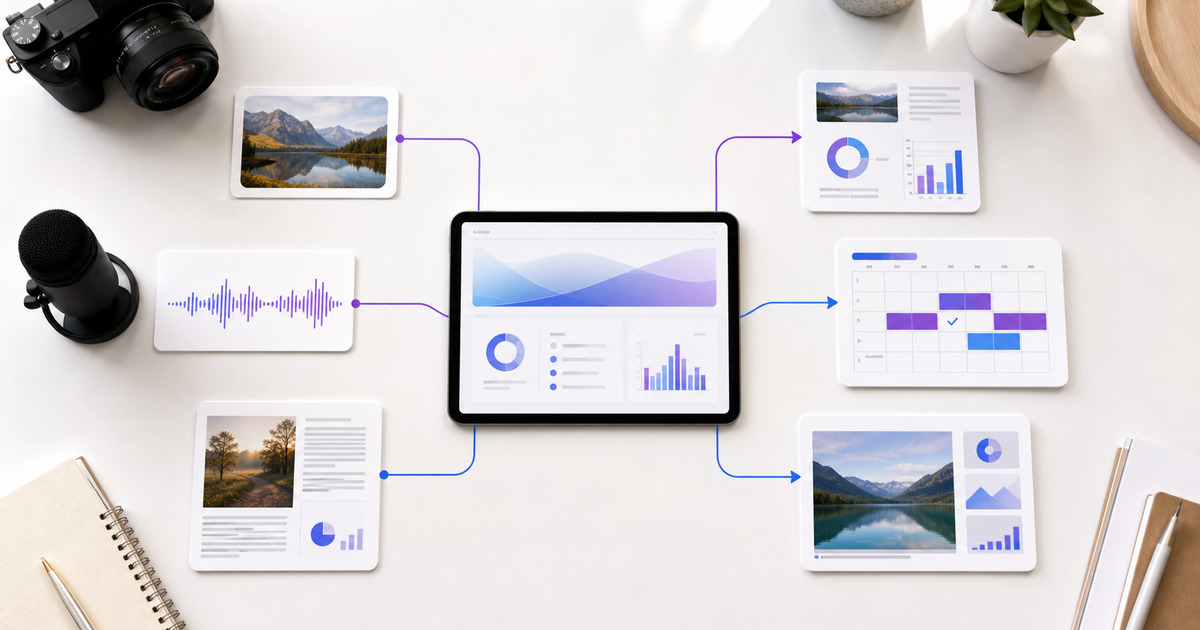
Unlike architectures that stitch standalone vision transformers and speech-to-text parsers onto a central language core, Gemini AI processes audio waveforms, visual pixels, code, and text inside a single underlying architecture. This structural distinction changes how operational teams structure content operations, product research, and automated analysis.
When you feed raw video footage, product schematics, or unedited audio recordings directly into a model without pre-clearing or transcribing them into pure text first, your workflow changes fundamentally. This guide outlines how to construct practical, production-ready workflows with Gemini AI across real-world business scenarios while managing the operational trade-offs that come with broad-context multimodal tools.
Understanding Native Multimodality in 2026
To maximize performance, you have to understand how Gemini AI interprets incoming input streams. Traditional systems route an uploaded image through an image-captioning model, convert that caption to text, and send the text to a language model. In that translation chain, critical context disappears: exact physical layouts, fine-grained visual details, subtle vocal inflections, and spatial relationships are flattened into lossy text descriptions.
Native multimodality means the model evaluates pixel densities and frequency spectrums alongside textual tokens in the exact same vector space.
Why Native Tokens Matter for Operations
- Spatial Comprehension: Reading charts, diagrams, and UI mockups based on actual pixel coordinate alignments rather than simplified text summaries.
- Temporal Continuity: Tracking changes across video frames over time—such as customer movement in UX research videos or step-by-step physical assembly routines.
- Acoustic Nuance: Identifying tone shifts, background environments, and speaker transitions in raw audio files before transcripts are generated.
For team leads and digital strategists exploring tools on quicktool.space, understanding this native cross-modal capability is key to building intelligent automation routines.
Workflow 1: Video and Visual Document Extraction
Let's look at a practical scenario: converting raw product demo recordings and slide decks into concrete collateral without manually writing notes or hiring external transcribers.
The Operational Challenge
A product manager records a 25-minute raw walkthrough video demonstrating an unreleased software update. The engineering leads want bug logs, the marketing team needs feature breakdowns, and the customer success lead needs training documentation.
The Gemini AI Execution Steps
- Direct Media Ingestion: Upload the raw video file directly into Gemini AI. Avoid pre-generating transcripts; the visual movement across the interface gives the model necessary context regarding which button was clicked or which menu sub-option was selected.
- Multi-Role Prompt Structuring: Structure your prompt into clear sub-tasks. Ask the model to extract UI anomalies (visual context) while summarizing key engineering decisions (audio context).
- Structured Document Mapping: Route the output into tailored operational assets.
Prompt Framework Example:
"Analyze the attached raw screen recording.
1. List every timestamp where a UI bug occurs (look for red error banners or unrendered visual elements).
2. Extract the core feature updates explained by the speaker between minutes 05:00 and 18:00.
3. Map the user flow shown on screen directly into step-by-step user documentation."
By processing audio and screen pixels simultaneously, Gemini AI connects verbal explanations ("when I click here") with visual context (the exact tab being targeted), preventing the ambiguity that plagues text-only transcript summaries.
To turn these raw insights into customer-facing journey maps, you can pair this step with specialized resources like the AI Customer Journey Mapper to build formal visual diagrams for cross-functional teams.
Workflow 2: Strategic Content & Funnel Orchestration
Multi-channel campaigns often fail due to messaging friction: the value proposition on the landing page doesn't match the social ad creative, which doesn't match the underlying sales pitch. Gemini AI handles this multi-tier alignment effectively by analyzing all assets at once.
Cross-Asset Alignment Matrix
| Asset Type | Input Feed | Gemini AI Processing Role | Output Asset |
|---|---|---|---|
| Product Mockups | Raw Figma PNG exports | Identifies visual hierarchy and key value callouts | Structured Copy Frame |
| Sales Pitch Audio | Call recordings | Extracts customer pain points & objections | Targeted Messaging Rubric |
| Competitor Decks | PDF slide decks | Analyzes market positioning & feature gaps | Differentiation Framework |
Execution Strategy
Instead of generating isolated blog posts or social captions in silos, feed your brand asset guidelines, raw wireframes, and target persona notes into a single session.
Ask Gemini AI to evaluate whether the visual layout of your landing page mockup visually emphasizes the exact pain points highlighted in your call transcripts. If you notice gaps in your downstream sales assets, using dedicated creation tools like the AI Sales Funnel Copywriter allows you to turn those structural recommendations into high-converting conversion copy rapidly.
Original Operational Insight: The Context-Chaining Method
Instead of feeding Gemini AI a single massive prompt asking for "a complete campaign overhaul", experienced strategists use context-chaining across multimodal layers.
In step one, you feed raw visual assets and ask the model solely to inventory visual patterns, typography hierarchy, and UI focal points. In step two, within the same active context window, you feed customer call recordings and instruct the engine to map customer verbatim words directly against the visual focal points identified in step one.
This multi-pass method forces deep cross-modal reasoning rather than surface-level summaries. It prevents the model from defaulting to generic marketing speak and ensures every generated line of copy anchors directly to a visual element or customer pain point.
Common Pitfalls and Mitigation Strategies
While Gemini AI provides expansive reasoning capabilities, treating it as an infallible operational engine leads to predictable failure modes. Here are the core operational pitfalls teams encounter and how to neutralize them.
1. The Context Saturation Trap
Large context windows allow millions of tokens, but larger context windows increase the risk of retrieval drift. When you upload two hours of uninterrupted high-definition video, the model may overlook crucial minor details buried in the middle minutes.
- Mitigation: Chunk raw video inputs into focused 15-to-20-minute segments, or provide explicit timestamp anchors in your prompt to direct internal attention vectors.
2. Over-reliance on Unguided Visual Translation
Assuming the model will automatically understand complex architectural blueprints or intricate corporate charts without contextual legend key inputs leads to spatial misinterpretation.
- Mitigation: Supply explicit definitions for symbols, visual keys, and acronyms within the initial prompt before asking for strategic analysis.
3. Ignoring Compliance and Risk Boundaries
Deploying AI outputs directly into enterprise operations without structural checks introduces compliance liabilities, especially in data-sensitive industries.
- Mitigation: Run strategic outputs through formal evaluation frameworks. Build an internal audit checkpoint using an AI Risk Assessment Report to systematically evaluate compliance, data governance, and operational exposure before launch.
Enterprise Decision Framework: When to Deploy Gemini AI
Not every project requires a heavy native multimodal engine. Knowing when to utilize Gemini AI versus lighter, purpose-built utilities prevents unnecessary computational overhead and workflow friction.
Selection Logic
- Deploy Gemini AI when: Your input files consist of mixed media types (video + PDF + raw audio), when you need cross-modal temporal analysis, or when you are processing long-form visual documentation.
- Deploy Point Utilities when: You need rapid, single-purpose generation (e.g., generating short social calendars, quick background edits, or specific bio drafts) where input structure is straightforward and standardized.
When managing diverse digital initiatives, discovering the right tool for each specific micro-task saves hours of prompt tweaking. Platforms like quicktool.space aggregate specialized generators designed for hyper-focused outputs, allowing you to combine foundation engines like Gemini AI with dedicated micro-utilities.
Practical Implementation Checklist
To successfully roll out Gemini AI workflows across your operational team, execute against this five-step operational checklist:
- Data Audit & Scrubbing: Clear proprietary credentials, PII, and customer identifiers from raw video or audio captures before uploading.
- Context Pre-structuring: Prepare a standardized brand system prompt including key glossary terms, target formats, and non-negotiable tone constraints.
- Segmented Media Ingestion: Split media files exceeding 30 minutes into indexed segments to preserve retrieval accuracy.
- Dual-Pass Verification: Perform human-in-the-loop validation on key structural data (timestamps, code blocks, budget figures) prior to downstream distribution.
- Secondary Utility Pairing: Pass output concepts into purpose-built tools to format final team deliverables efficiently.
Strategic Takeaway for 2026
The shift from single-mode language processing to native multimodality shifts AI from a drafting assistant into a functional operational partner. By feeding raw visual, auditory, and structural data directly into Gemini AI, organizations eliminate the friction of manual transcriptions, visual summaries, and fragmented workflows.
Combine Gemini AI's deep multimodal analysis with specialized micro-tools for specific asset creation, and you build an agile, highly effective digital workspace built for the demands of 2026 and beyond.
AI-assisted content. Automatically reviewed by the QuickTool Quality Pipeline.
Frequently Asked Questions
How does Gemini AI handle native image and audio ingestion differently than traditional models?
Can Gemini AI completely replace specialized niche AI micro-tools?
What is the best way to handle long video files in Gemini AI without missing key details?
Discover More on QuickTool
Recommended AI Tools for AI & Tools
View all 111 toolsAI Text to Speech
Convert any text into natural-sounding speech instantly using browser AI.
AI Image Generator
Generate stunning images from text using advanced AI models.
AI SEO Title & Meta Generator
Generate SEO-optimized Page Titles and Meta Descriptions.
AI Business Plan Generator
Generate a complete 10-page business plan with executive summary, market analysis, and financial projections.
Latest Blogs
In-Depth Articles
Tools for the next step
These links are selected from this page's topic, not from a generic popularity list.